Browser Extension · Chrome & Edge · Manifest V3

Think on any page, leave your insights as annotations.

Sagitnote is a full-featured web annotation extension: ten annotation tools, your own documents & PDF annotation, page snapshots, and sharing & collaboration — free to use after sign-up. Local-first data, with cloud sync that follows you across devices.

Chrome 109+ & Edge 109+ · Free to use with registration

Local-firstData stays on your device by default — fully usable offline
No lock-inMulti-format export and one-click full backup
14-day refund windowRequest a refund in the extension within 14 days of payment — refunded to your original method after review
Secure paymentCard details go straight to Waffo Pancake — we never see them

Ten annotation tools for every task

From quick highlights to precise captures, from whole-element marks to freehand sketches — pick the right tool for the moment

Text Highlight

Select text to highlight. Five styles: background fill, border, underline, wavy underline, and text color. Highlights survive page reloads.

Arrow Drawing

Drag to draw arrows that point right at key elements. Add notes, adjust line width and color. Perfect for design reviews and proofreading.

Flag Marker

Drop a flag on any page to bookmark it. Attach a note to quickly locate and revisit important content — especially useful for long reads.

Rectangle Frame

Draw a rectangle around any page area to spotlight it without covering content. Attach notes — great for circling key sections in reviews.

Page Screenshot

Select any page region to auto-capture a clean screenshot. Long pages support multi-segment stitching with auto thumbnails. Ideal for archiving and reporting.

Image Rectangle

Drag to select any region of an image — the region is captured automatically. Annotate any image on a page and revisit it anytime.

Freehand Drawing

Turn any page into a sketchpad — circle, underline, and sketch freely. Adjustable line width and color, with compressed path data for smooth performance.

Text Note

Add floating note cards anywhere on a page. Choose hover tooltips or always-visible notes; adjust the font size and color, and drag them anywhere. Close a note when you're done — it collapses into a small bubble icon you can click to bring it back.

Element Mark

Hover to preview, click to frame an entire element — buttons, cards, navigation. The outline snaps to the element, so "this one" is unmistakable.

Image Annotation

Click any image on a page to annotate it. Images are auto-saved and can be backed up to the cloud, viewable across devices.

Whatever you do, Sagitnote fits the way you work

Every field has its workflow — find yours

E = mc 2 LaTeX
Academic Research

Read papers, derive formulas — all-in-one knowledge management

When reading the latest papers on arXiv or PubMed, you need more than just text highlighting.

Mark core arguments and key data with five highlight styles on any paper you read. Record your thoughts and critiques with arrows and text notes. Even better, use your own documents to write literature reviews — the editor includes a built-in KaTeX math engine supporting both inline and display LaTeX formulas. Whether it's \(E = mc^2\) or complex matrix derivations, everything renders elegantly. Open and annotate PDF papers directly in the browser, with automatic cloud sync so research never stops when you switch devices.

Design Review

Visual feedback — pixel-precise communication

Tired of saying "move that thing a bit to the left"? Say goodbye to vague remote feedback.

Use arrows and flags to point directly at design elements. Sketch desired layouts with freehand drawing. Capture problem areas with page screenshots. A configurable 6-color palette lets you build your own color-coding system — red for must-fix, yellow for discussion, blue for suggestions. All annotations are auto-organized by page into folder trees, making review history clear and traceable.

📁 Machine Learning 📄 CS229 notes 📄 Paper reading 📁 Deep Learning Markdown
Learning & Study

From online courses to your personal knowledge base

You read vast amounts of learning material daily — course notes, tech docs, wiki entries. How do you turn fragmented reading into structured knowledge?

Use text highlighting to mark key points on course pages. Capture your own take with text notes. Create folders by subject to organize annotated pages. When exam season arrives, export everything as Markdown (Obsidian-compatible) and integrate seamlessly into your personal knowledge management system. Use your own documents to compile study notes with annotated screenshots and KaTeX formulas — rich, visual study guides.

Technical Writing

Write technical docs where formulas meet screenshots

Technical documentation needs both formula derivations and interface screenshots. Traditional writing tools struggle to combine the two.

Write technical content with rich text + KaTeX in your own documents — algorithm derivations, API specs, and architecture designs all in one place, with Word, Excel, PDF, and Markdown import supported. Capture web interfaces with page screenshots and annotate them; images back up to the cloud automatically. JSON / Markdown export lets you migrate documents to other platforms anytime, and when a document is ready, share a link so colleagues can comment right on it.
∫ f(x)dx
This button does nothing Repro steps: 1→2→3 iframe
QA & Development

Bug reporting — let screenshots speak for you

When filing a bug, a marked-up screenshot beats a wall of text. But sharing screenshot files back and forth creates version chaos.

Mark problem locations and reproduction steps directly on the bug page with arrows, rectangle frames, and text notes. Everything lives in your annotation library — just open the page to see it, no digging through chat history for screenshots. Smart anchoring (element path + content fingerprint + position ratio) keeps annotations accurately placed through SPA route changes and DOM updates; iframe-heavy pages are supported too. When it's time to hand off, export annotations as JSON / Markdown and paste them straight into the ticket or wiki.

Medical Imaging & Visual Analysis

Mark regions of interest — let images tell the diagnostic story

The web is full of professional imagery — DICOM medical scans, pathology slides, satellite maps, high-res art scans. You need to precisely mark regions and attach analytical notes.

The Image Rectangle tool lets you drag-select any region on a web image, auto-capture a clear screenshot, and attach text notes. Radiologists can mark lesions on online imaging platforms and note differential diagnoses. Pathologists can circle abnormal cell clusters on virtual slides. Art analysts can frame brushstroke details on high-res painting scans and annotate technique analysis. All annotated screenshots are auto-archived, and cloud sync means annotations made on the clinic workstation can be reviewed on your tablet at home. Export annotations as Markdown to compile consultation reports or teaching cases.

Team Collaboration

One link — review comments stay on the document

Editing, review, and mentoring feedback — nothing hurts more than feedback that leaves you guessing.

Create a share link for a document of your own or a document snapshot — recipients open it in any browser, no extension required. Combine view / annotate / reply / edit permissions, add a password, and set a 1–30 day expiry that lapses automatically. Their annotations appear on your document with author names; reply to each one right there, so the discussion lives in the original text — and you can convert others' annotations into your own when needed. For editors working with authors, mentors grading assignments, and consultants delivering review findings.

Archiving & Fact-Checking

Pages change. Snapshots don't.

Web content is fleeting — pricing pages, news, policy terms. What you see today may be gone tomorrow.

A page snapshot saves the page in one click — Full snapshots preserve content and styling — letting you revisit "this page as it was" anytime. Highlight, frame, and annotate on the snapshot as usual, and record findings and source comparisons with text notes. Snapshots can be exported for the record (JSON / Markdown; HTML on Pro), and document snapshots can additionally be shared with colleagues or legal with password and permission controls. For journalists and fact-checkers preserving evidence, marketers archiving competitor pages, and compliance teams keeping terms on file.

Markdown

Share your documents, gather everyone's thoughts

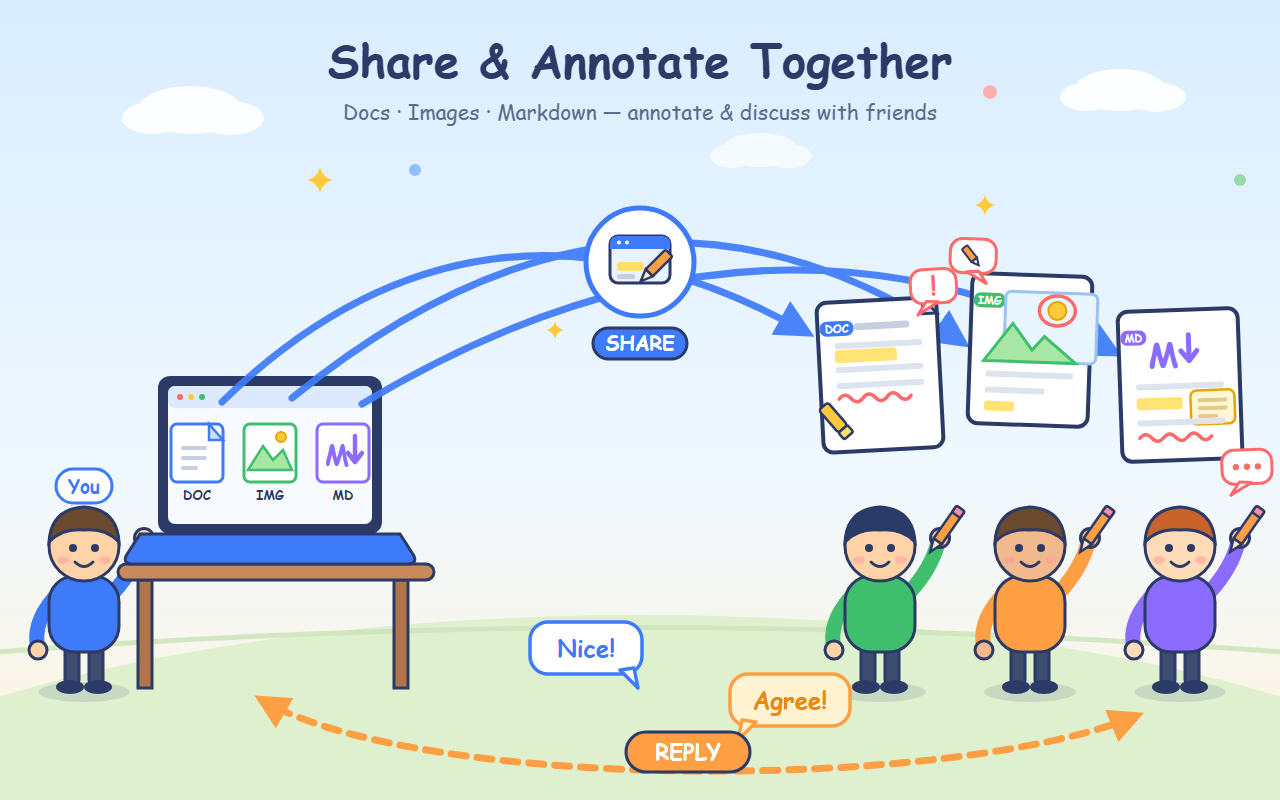
Send a link to your own documents or document snapshots — friends highlight and annotate right in their browser, and you exchange ideas through replies. No extension needed on their side.

Install, register, start annotating

1

Install Extension

Download the Sagitnote package and load it into Chrome or Edge.

2

Create Account

Sign up with an email code, or sign in with one click using Google or GitHub. The free tier includes all annotation tools and cloud sync.

3

Start Annotating

Open any webpage — the control panel appears automatically. Select text to highlight, or pick a tool to start annotating. Data is auto-saved locally, and backed up to your account once you're signed in.

Beyond Annotation

Cross-Device Cloud Sync

Annotations, documents, snapshots, and folders back up automatically to your account and restore on sign-in. Cloud sync with 100MB storage on Free, 20GB on Pro. Changes flow both ways; when conflicts happen, the latest edit wins.

Your Own Documents

Built-in rich text editor with live KaTeX formulas, tables, and images. Import Word, Excel, PDF, and Markdown (Obsidian syntax preserved), or export to multiple formats and take your work anywhere.

PDF Annotation

The built-in PDF.js engine opens PDFs in an annotation-ready viewer automatically — from local files or a URL — with every annotation tool available.

Page Snapshots

Save "the page as it was" in one click — Lite snapshots extract the main content, Full snapshots preserve content and styling. Snapshots can be annotated and backed up to the cloud; document snapshots can also be shared via link — reliable for archiving and record-keeping.

Sharing & Collaboration

Create share links for your own documents and document snapshots: combine view / annotate / reply / edit permissions, with optional password protection and 1–30 day expiry. Recipients need no extension — the shared page works in any browser, on desktop and mobile, and replies stay right on the document.

Import, Export & Backup

Export as JSON / CSV / Markdown (Obsidian-compatible; Pro adds HTML), or make a one-click full backup (.json.gz). On import, choose to skip, merge, or overwrite — it's your data, after all.

Smart Anchoring

Triple anchoring (XPath + MD5 content hash + page position ratio) with multi-level fallback search. Annotations re-position themselves through SPA navigation, virtual scrolling, and DOM mutations.

Multi-Frame & Cross-Origin

Annotate inside iframes and nested frames. Smart detection of multiple frame zones lets you choose the target and switch seamlessly.

Broad Page Compatibility

Works on the vast majority of web pages — Shadow DOM, MathML, KaTeX formulas, strict CSP, and other complex environments. Browser-internal pages (chrome:// / edge://) are not supported. Tested on dozens of popular sites.

Palette, Tags & Folders

A configurable 6-color palette with saved color schemes. Tag annotations, then organize with folder trees, favorites, full-text search, and bulk actions — effortless even at scale.

Shortcuts & Themes

Keys 1–8 switch tools, C cycles colors, S cycles styles, and D toggles the annotations drawer. Choose light, dark, or sepia themes — or follow your system automatically.

Security & Privacy

HTTPS everywhere; documents and snapshots are sanitized server-side against script injection; share passwords are stored encrypted and links can be revoked instantly; card details go straight to our payment processor and never touch our servers.

Free to use, upgrade as needed

Every annotation tool, cloud sync, and collaboration is included free. Pro adds more storage and higher limits.

Free

Free

Sign up and go — covers personal, everyday annotation

  • All 10 annotation tools, including text highlights
  • 50,000 annotations total · up to 50 per page
  • Up to 5 per annotation type on a page · text highlights not separately capped
  • Cloud sync, sharing & collaboration, image upload — all included (sync volume subject to daily caps)
  • 100MB cloud storage
  • 100 new annotations, 3 documents & 2,000 imports per day
  • Export as JSON / CSV / Markdown
  • 3 active shares · 20 replies per shared page
  • Up to 5M characters per document / snapshot
Install Free
Recommended

Pro

US$6 / 1 month · US$50 / 1 year

Higher daily limits and larger cloud storage

  • All Free features included
  • 1,000,000 annotations total · up to 300 per page
  • 20GB cloud storage
  • 2,000 annotations, 100 documents & 10,000 imports per day · no per-type page caps
  • 200 active shares · 200 replies per shared page
  • Export JSON / CSV / Markdown / HTML · up to 20M characters per document
  • Refund requests accepted within 14 days (subject to review) · email support
Install & Go Pro

Install the extension → sign up → upgrade in one click
(US$6 / 1 month · US$50 / 1 year — one-time purchase; repeat purchases extend your current expiry)

See your live quotas on the Usage panel in the extension. Payments are processed securely by the Waffo Pancake checkout — card data never touches our servers.

Your data, always under your control

  • All annotation data is stored locally in your browser's IndexedDB by default
  • Fully functional offline, unaffected by network conditions
  • Export as JSON / CSV / Markdown plus a full backup — take everything with you
  • Documents and snapshots are sanitized when saved and when displayed to prevent script injection
  • Share passwords stored encrypted; links can be disabled or deleted anytime, cutting access instantly
  • Data is never cleared on token expiry or network loss — local copy always preserved

Questions, answered

Is Sagitnote free?

Yes. Sign up free and get every annotation tool, cloud sync, and collaboration (100 new annotations, 3 documents per day, 100MB cloud storage). Pro (US$6 for 1 month or US$50 for 1 year — one-time purchase) adds capacity: 1,000,000 annotations total, 2,000 new annotations per day, 20GB cloud storage, and 20M characters per document. Upgrade anytime; refund requests can be submitted within 14 days.

Where does my data live? Can anyone else see it?

Your data is stored locally in your browser and auto-backed-up to your own account, visible only to you. Content becomes visible to anyone with the link only when you actively create a share link.

Do my collaborators need the extension?

No. They open the link in any browser — on desktop or phone — and see the annotated document. You control the password, permissions (view / annotate / reply / edit), and a 1–30 day expiry.

Do annotations survive page changes and SPA navigation?

Yes. Annotations restore automatically via triple anchoring (element path + content fingerprint + position ratio), across SPAs, iframes, and Shadow DOM. Extremely dynamic pages may occasionally need a single re-annotation.

Which browsers and page types are supported?

Chrome 109+ and Edge 109+ (Manifest V3). Annotate regular web pages, local files, PDF documents, and your own documents; browser-internal pages (chrome:// and edge://) are not supported.

How do I request a refund?

Open "My Orders" in the extension and request a refund on a paid order within 14 days of payment. Track progress on the orders page, or email service@webnoteshub.com.

Can I get annotation cards out of the way?

Yes. Every note card has a ✕ close button. Once closed, a small bubble icon stays on the mark — click it to reopen the note, or hover it on desktop for a quick preview. The toolbar's "Close all annotation popups" toggle hides every open card at once, and it remembers your choice for your next visit.

What if I forget my password?

Click "Forgot password?" in the extension's sign-in box (or in the re-login prompt when your session expires) and follow the email verification steps to set a new one. Google-only accounts are covered too: resetting sets a password, so you can sign in with email as well.

More answers in the help docs →

Ready to get started?

Install Sagitnote, sign up for a free account, and start leaving your thoughts on the web.

v1.0.0 · Chrome 109+ · Edge 109+